If your thermostat reading wrong temperature, your home comfort and energy bills can suffer. A thermostat that shows a different temperature than the actual room temperature can leave rooms too hot or too cold, make your HVAC run longer than necessary, and cause frustration. This guide explains why thermostats read incorrectly, how to test and troubleshoot the problem, practical fixes you can do yourself, and when to call a professional.
Why a Thermostat Might Be Reading the Wrong Temperature
Modern thermostats are reliable, but several common issues can cause them to show incorrect temperatures. Knowing the potential causes helps you pinpoint the problem quickly.
- Poor Placement: Thermostats placed in direct sunlight, near drafts, behind doors, above heat sources, or on exterior walls often read inaccurately because they sense localized conditions rather than the room average.
- Sensor Issues: The internal temperature sensor can become dirty, misaligned, or fail with age.
- Calibration Drift: Over time the thermostat’s calibration can shift so that the displayed temperature no longer matches the room.
- Battery or Power Problems: Low batteries or intermittent power (in digital units) can cause erratic readings.
- Wiring or Installation Errors: Incorrect wiring when installed or after HVAC work can interfere with accurate sensing or communication with the heating/cooling system.
- Obstructed Airflow: Furniture, curtains, or nearby vents blowing directly on the thermostat will affect the sensor.
- Multiple Thermostats or Zoning Issues: In multi-zone homes, one thermostat may be reading correctly while the system balances differently elsewhere, creating perceived inaccuracies.
- Firmware or Software Bugs: Smart thermostats occasionally experience software-related misreports until updated or rebooted.
How to Diagnose Temperature Reading Errors
Diagnosis is often simple and requires only a few tools and observations. Follow these steps in order to narrow down the cause.
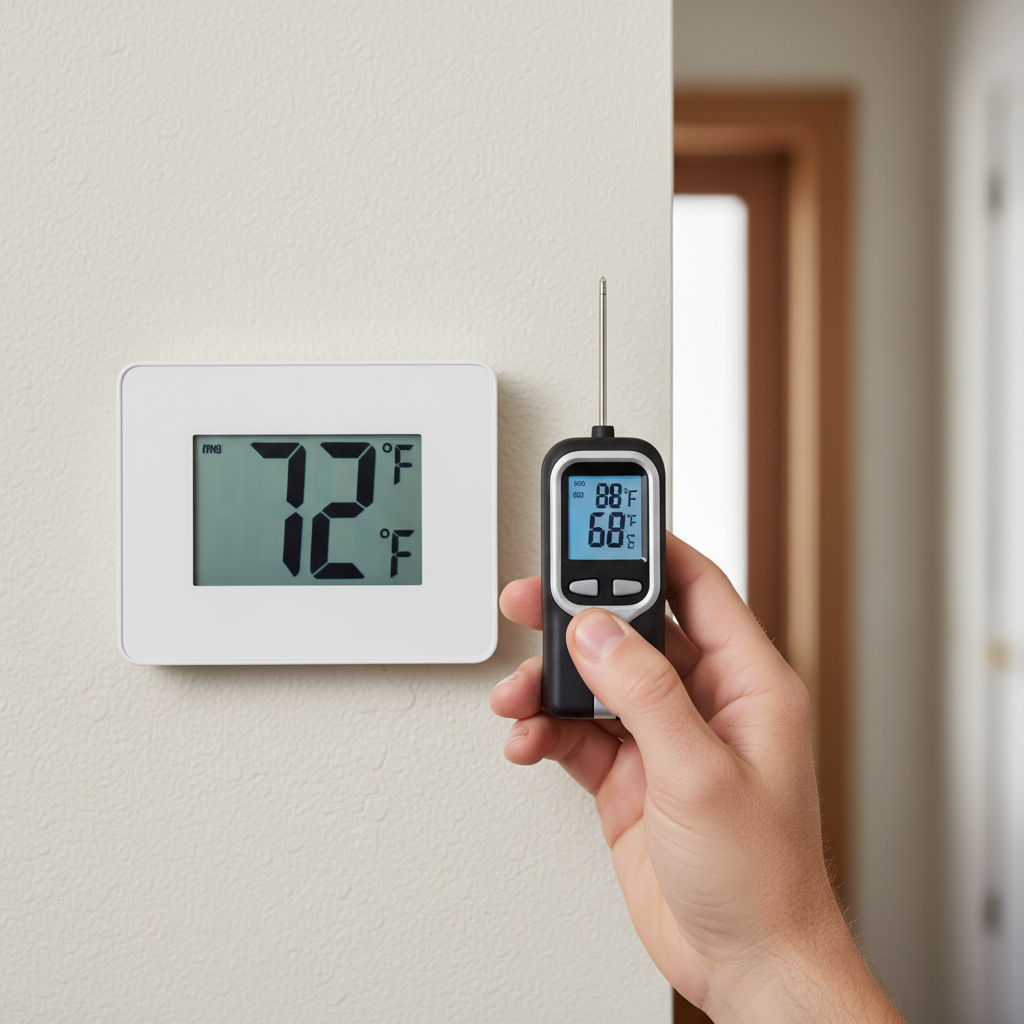
1. Compare With a Reliable Thermometer
Buy or borrow a reliable digital or mercury thermometer and place it beside the thermostat (about 2–3 inches away) for 10–15 minutes. If the thermometer and thermostat readings differ by more than 1–2°F (0.5–1°C), you have an inaccuracy.
2. Test Multiple Locations
Move the thermometer to the center of the room and to other rooms. If the thermostat reading matches the center-of-room thermometer but not the one placed beside it, placement or local airflow is likely the issue.
3. Check for Drafts and Sunlight
Inspect the thermostat area for direct sunlight, vents, exterior doors, or windows. Observe the thermostat at different times of day—sunlight hitting it in the afternoon can raise the reading significantly.
4. Inspect Batteries and Power
Replace batteries in battery-powered units. For hardwired units, ensure the breaker and HVAC control board are not tripped and the thermostat has reliable 24V power if required.
5. Look for Physical Damage or Dust
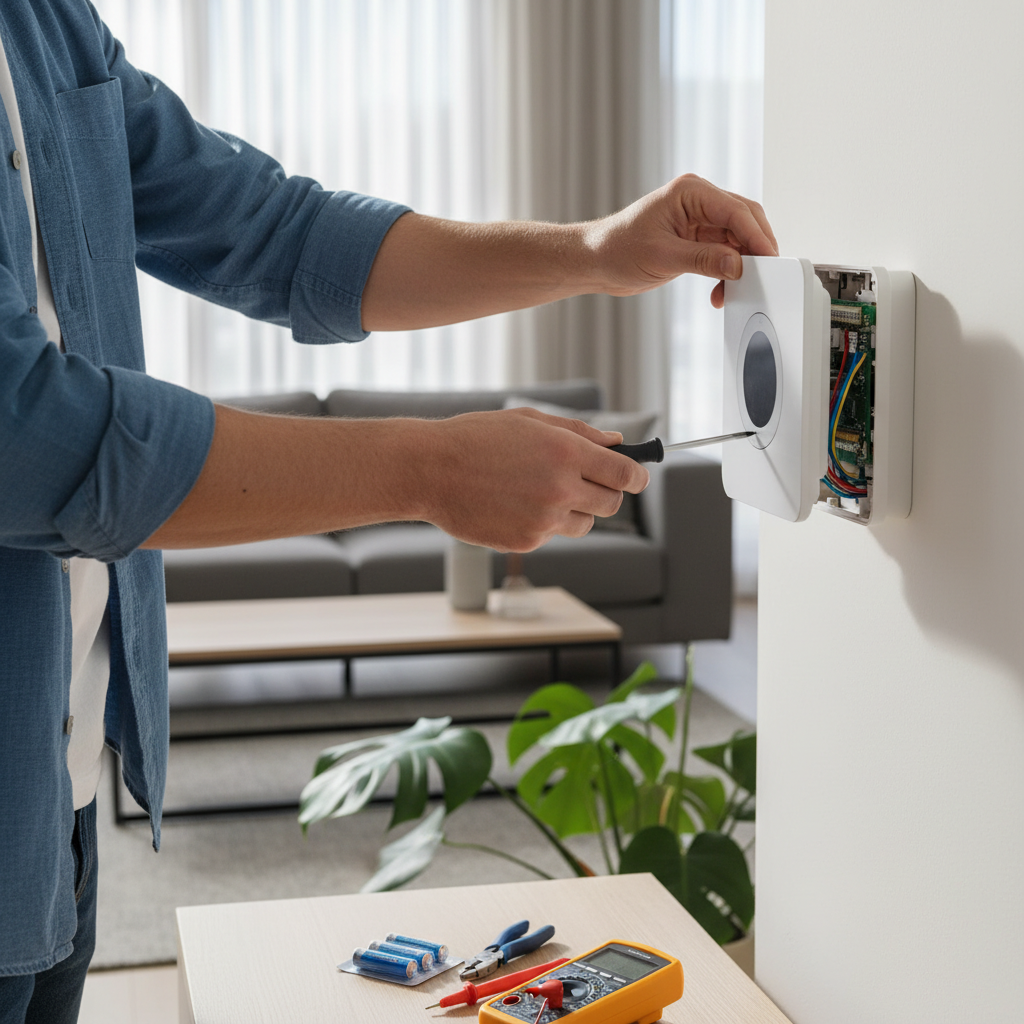
Remove the thermostat cover and inspect the internals for dust, dirt, or corroded connectors. A gentle compressed air burst can remove dust; be careful not to touch sensors directly.
6. Observe System Behavior
Set the thermostat several degrees above and below the current temperature. Note whether the HVAC responds immediately or with delay and whether the system overshoots or undershoots the set temperature—this helps determine whether the thermostat, the thermostat sensor, or the HVAC control loop is at fault.
DIY Fixes: Step-by-Step
Once you’ve diagnosed the likely cause, try these fixes in order from simplest to more involved.
1. Reposition the Thermostat
- Move it away from direct sunlight, vents, heaters, windows, or exterior doors.
- Ideal placement is on an interior wall about 5 feet (1.5 m) above the floor in a central, open area of the main living space.
2. Replace Batteries and Reset
- Replace batteries annually or when the low-battery indicator appears.
- Perform a soft reset by following the manufacturer’s instructions—this can clear software glitches.
3. Clean the Sensor and Inside the Unit
With the power off, open the thermostat and gently clean dust away from the sensor and circuit board with compressed air or a soft brush. Do not touch sensitive components.
4. Recalibrate the Thermostat
Some programmable thermostats allow calibration adjustments in the settings menu. Consult the manual to adjust the reading by a degree or two to match your reference thermometer. Smart thermostats often have calibration options in the app.
5. Check and Tighten Wiring
If comfortable doing so, turn off power at the breaker, remove the cover and ensure wires are secure on their terminals. Loose or corroded connections can cause misreads or intermittent issues. If you see damaged wires, call a professional.
6. Update Firmware (Smart Thermostats)
Ensure your smart thermostat’s firmware is up to date. Updates often fix sensor or reporting bugs. Use the app or manufacturer’s website to check for updates.
7. Replace the Thermostat Sensor or Unit
If you determine the internal sensor is faulty (common in older units), replacing the thermostat may be the most cost-effective long-term fix. Modern thermostats, especially smart models, offer better accuracy and remote calibration features.
When to Call a Professional
Some problems need an HVAC technician or electrician:
- Complex wiring issues or if your thermostat is part of a multi-zone system
- HVAC equipment malfunctions that cause uneven temperatures despite accurate thermostat readings
- Replacing a hardwired thermostat where a C-wire is needed for a smart thermostat
- Frequent calibration drift despite resetting and cleaning
Preventive Maintenance to Keep Readings Accurate
Regular maintenance can prevent most thermostat inaccuracies:
- Replace batteries once a year or when prompted.
- Keep the thermostat area free from furniture, curtains, and obstructions.
- Schedule HVAC tune-ups twice a year to ensure the broader system is balanced and sensors connected to the furnace/air handler are functioning.
- Update smart thermostat firmware and review app alerts monthly.
Special Considerations for Smart Thermostats
Smart thermostats provide advanced diagnostics and remote monitoring, making it easier to detect and fix temperature discrepancies. Use their learning features and remote sensors to average temperatures across rooms and reduce reliance on a single wall-mounted sensor. If you install remote sensors, place them in the room centers for representative readings.
How Thermostat Location Affects Comfort and Efficiency
Thermostat location not only affects numerical accuracy but also how your HVAC system serves the home. A thermostat located in an unusually warm area can cause the system to cool the house longer than needed, wasting energy. Conversely, a thermostat in a colder corridor may overheat living spaces. The goal is to choose a spot that reflects the typical living area’s conditions.
Common Myths About Thermostat Accuracy
- Myth: Any wall is a good wall. Reality: Exterior walls, hallways, kitchens, and sunny walls are poor locations.
- Myth: Programmable thermostats are always inaccurate. Reality: Properly installed and calibrated programmable thermostats can be more accurate than older mechanical models.
- Myth: A 3–4 degree difference is normal. Reality: Most thermostats should be accurate within 1–2°F when properly placed and maintained.
When It’s Time to Replace Your Thermostat
Consider replacing the thermostat if:
- It’s older than 10–15 years and shows recurring problems.
- Calibration adjustments no longer hold.
- It lacks features you need (like remote sensors, smart scheduling, or compatibility with new HVAC equipment).
- It causes comfort complaints across multiple rooms despite HVAC service.
Energy-Saving Tips While You Troubleshoot
- Use fans to circulate air and reduce hot/cold spots while you diagnose the thermostat.
- Program setbacks for night and away periods to minimize wasted heating/cooling if the thermostat occasionally overshoots.
- Close vents in unused rooms responsibly—avoid creating pressure imbalances that can affect thermostat readings.
Resources and Further Reading
For practical guides and safety tips about home heating and thermostat care, reputable lifestyle and home authorities offer step-by-step articles and checklists. Good Housekeeping provides useful homeowner guidance on thermostat issues and basic troubleshooting: Good Housekeeping — thermostat troubleshooting.
Frequently Asked Questions (FAQs)
Q: How much difference between thermostat and room thermometer is acceptable?
A: A difference of up to 1–2°F (0.5–1°C) is generally acceptable. Anything larger suggests placement, sensor, or calibration issues.
Q: Can drafts really affect thermostat readings?
A: Yes. Cold drafts from doors or hot air from vents can bias the thermostat sensor. That’s why central interior placement away from direct airflow is recommended.
Q: Is it safe to recalibrate my thermostat?
A: For most modern digital and smart thermostats, recalibration is a setting in the menu and is safe. For mechanical units or if you must open the unit, turn off power before touching wiring or components. When in doubt, hire a technician.
Q: Will a smart thermostat fix temperature variance across my house?
A: A smart thermostat can help by using remote sensors and learning algorithms, but it won’t cure problems like poor insulation, duct imbalance, or incorrect HVAC sizing. Use it as part of a comprehensive approach that includes proper airflow and insulation improvements.
Q: Can a thermostat be too close to the floor or ceiling?
A: Yes. Ceiling-mounted thermostats will read warmer air that rises, and floor-mounted ones can read cooler air. A height of about 5 feet (1.5 m) is optimal for wall installations.
Summary
A thermostat reading wrong temperature is a solvable problem in most homes. Start with simple checks: compare readings with a separate thermometer, replace batteries, and look for drafts or sunlight. Repositioning, cleaning, recalibrating, or updating firmware can often restore accuracy. If wiring, zoning, or HVAC malfunctions are suspected, call a professional. Regular maintenance and thoughtful placement will keep your thermostat reporting reliably and keep your home comfortable and energy-efficient.
If you want design tips that help balance comfort and efficient thermostat placement in living spaces, learn more about modern home design at this resource: How to Design A Comfortable Modern Living Space