How to Fix a Ceiling Fan That’s Not Turning On: Troubleshooting Tips and Solutions
Is your ceiling fan not turning on despite flipping the switch? A ceiling fan that won’t start can be frustrating, especially when you rely on it to keep your room cool and comfortable. Fortunately, most ceiling fan issues are relatively easy to diagnose and fix with a bit of patience and know-how. In this comprehensive guide, we’ll walk you through the common reasons why your ceiling fan is not turning on and provide step-by-step instructions to get it running smoothly again.
Common Reasons Why Your Ceiling Fan Isn’t Turning On
When a ceiling fan refuses to start, it’s usually due to one or more of several electrical or mechanical problems. Here are the most frequent causes:
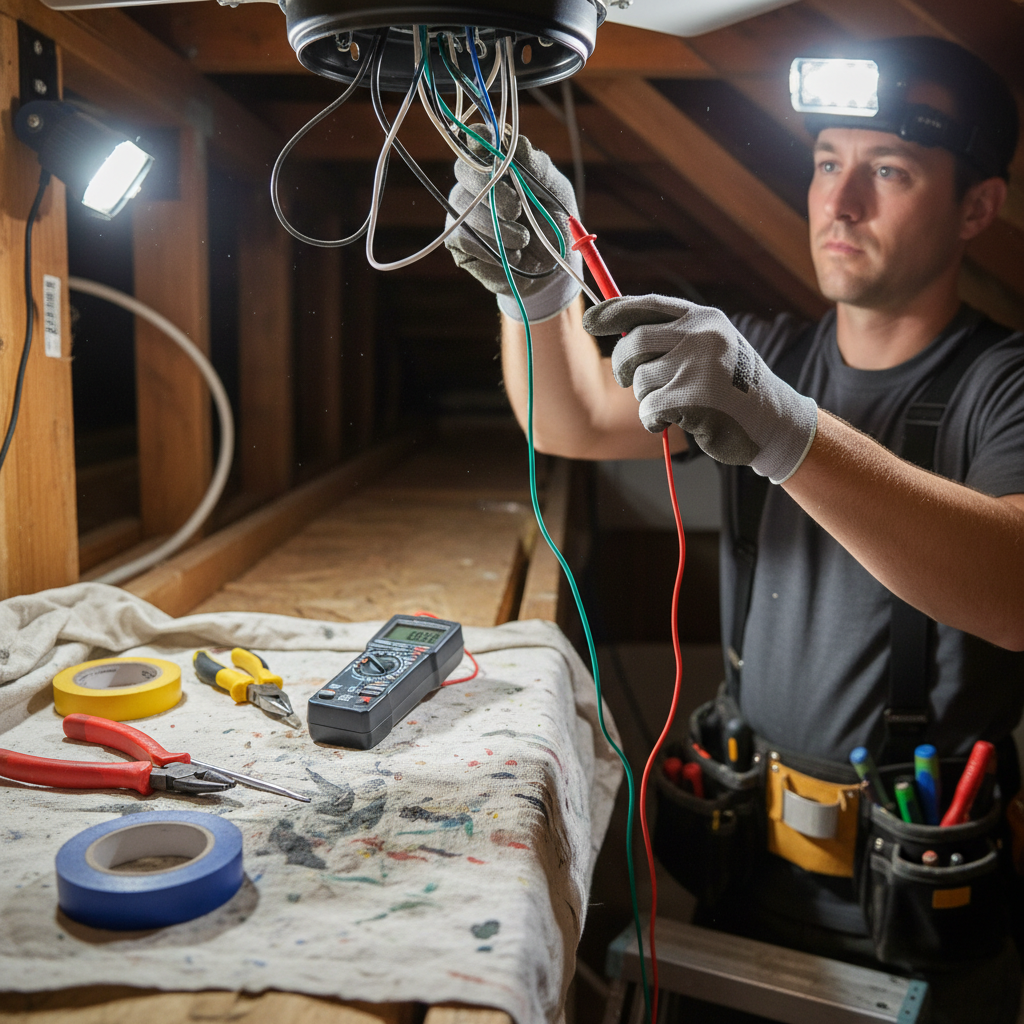
- Power Supply Issues: The fan might not be receiving power due to a blown fuse, tripped breaker, or loose wiring connections.
- Switch or Remote Control Malfunction: Faulty wall switches, remote controls, or receiver units can prevent the fan from switching on.
- Capacitor Failure: The capacitor helps start the fan motor; if it’s defective, the fan won’t start.
- Motor Problems: A burnt-out or seized motor can cause the fan to be unresponsive.
- Obstruction or Mechanical Jam: Physical blockage or worn bearings might stop the blades from turning.
Step-by-Step Troubleshooting Guide
1. Ensure the Fan Is Receiving Power
First, confirm that the fan is getting electricity:
- Check the circuit breaker or fuse box for tripped breakers or blown fuses.
- Test the wall switch controlling the fan by toggling it on and off.
- Use a voltage tester or multimeter to verify power at the fan wiring connections if you’re comfortable doing so.
2. Inspect the Wall Switch and Remote Control
If power is getting to the fan but it still won’t turn on, the problem may lie with the switch or remote:
- Try replacing the wall switch with a new one designed for ceiling fans.
- For fans controlled by remote, check or replace the batteries in the remote.
- Reset or re-pair the remote receiver inside the fan housing following manufacturer instructions.
3. Examine the Fan’s Capacitor
The capacitor generates the initial boost to start the fan motor. When faulty, the fan might hum but not spin:

- Look for bulging, leaking, or burnt capacitors visible when the fan canopy is opened.
- Replace the capacitor with an identical rating for your fan model.
4. Check for Mechanical and Motor Issues
If the fan motor is seized or obstructed, it won’t rotate:
- Manually try to spin the blades to detect resistance or grinding noises.
- Clean accumulated dust or debris around the motor and bearings.
- If the motor is burnt out, it will need professional repair or replacement.
Safety Tips When Working With Ceiling Fans
Working with electrical appliances can be hazardous. Always take these precautions:
- Turn off power at the breaker box before servicing your fan.
- Use a sturdy ladder and ensure the fan is securely mounted.
- When in doubt, hire a licensed electrician to handle electrical components safely.
When to Call a Professional
If you have tried the above steps and your ceiling fan still doesn’t turn on, it’s time to seek professional help. Electrical faults, complex motor repairs, or rewiring jobs are best handled by experienced electricians to prevent hazards and ensure proper repair.
Preventive Tips to Keep Your Ceiling Fan Running Smoothly
- Regularly clean the fan blades and motor housing to prevent dust buildup.
- Lubricate moving parts if your fan model requires it (check manufacturer’s guidance).
- Inspect wiring and switches periodically for signs of wear or corrosion.
- Replace batteries in remote controls as needed.
FAQs About Ceiling Fans Not Turning On
Why does my ceiling fan hum but not turn on?
This usually indicates a faulty capacitor or a motor issue. The capacitor may not be providing enough electrical boost to start the motor, or the motor could be seized or burnt out.
Can I fix a ceiling fan that won’t start myself?
If you are comfortable working safely with electrical fixtures, you can perform basic troubleshooting such as checking fuses, switches, or replacing capacitors. However, complex repairs should be done by professionals.
How do I know if my ceiling fan capacitor is bad?
Signs include a bulging or leaking capacitor, a fan that hums but doesn’t spin, or a motor that struggles to start.
Is it safe to use a ceiling fan without a capacitor?
No, the capacitor is necessary for starting and running the fan motor efficiently. Operating without it can damage the motor.
What type of maintenance does a ceiling fan need?
Routine dusting, occasional lubrication (if recommended), and inspection of electrical connections help extend the life of your fan.
Conclusion
A ceiling fan not turning on can stem from various electrical or mechanical issues, but many problems can be resolved with simple troubleshooting steps. From checking your power source to replacing the capacitor or switch, these solutions empower you to restore comfort and functionality to your space. Remember to prioritize safety and consult a professional if the issue persists. For detailed care tips and professional advice on home fixtures, visit Good Housekeeping’s ceiling fan maintenance guide.