How to Fix a Ceiling Fan Not Turning On: Easy Troubleshooting Tips
Ceiling fans are an essential part of many homes, providing both air circulation and comfort during warm weather. However, it can be frustrating when a ceiling fan not turning on interrupts your routine, especially during hot days. Whether your ceiling fan is completely dead or just won’t start spinning, this guide will help you diagnose and fix the problem effectively. From electrical issues to mechanical faults, keep reading to learn how to get your ceiling fan back in action safely and quickly.
Common Reasons Why Your Ceiling Fan Isn’t Turning On
Before diving into solutions, understanding why your ceiling fan won’t turn on is the first step. The causes can range from simple user errors to more complex electrical faults. Here are the most common reasons:
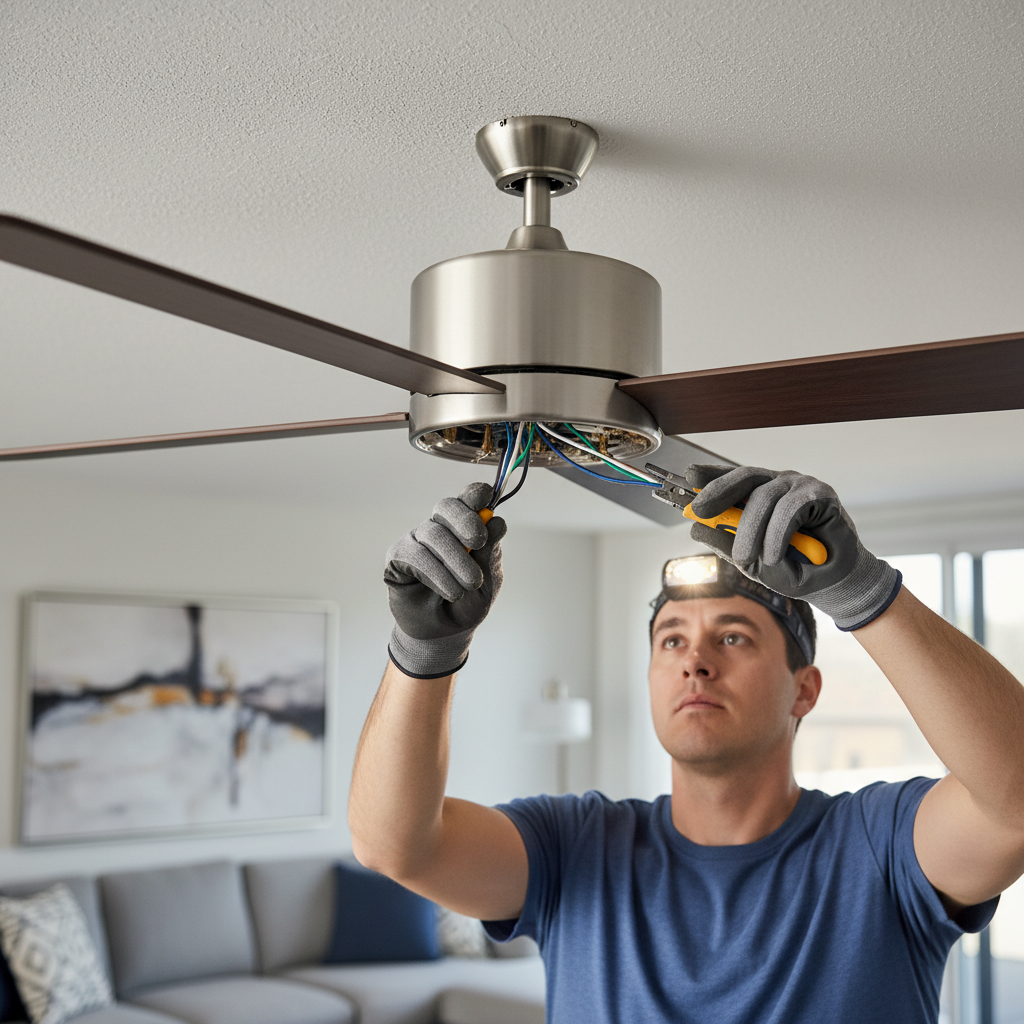
- Power issues: The fan may not be receiving power due to a tripped circuit breaker, blown fuse, or faulty wiring.
- Switch problems: The wall switch or the fan’s pull chain switch might be broken or disconnected.
- Remote control failure: If your fan is remote-operated, the remote or receiver could have dead batteries or be malfunctioning.
- Capacitor failure: The capacitor, which helps start the fan motor, can wear out over time.
- Motor issues: The fan motor may have burnt out or the internal components could be damaged.
- Installation errors: If the fan was recently installed, improper wiring or mounting can prevent it from working.
Step-by-Step Troubleshooting Guide
Follow these steps to pinpoint and fix the problem safely and effectively.
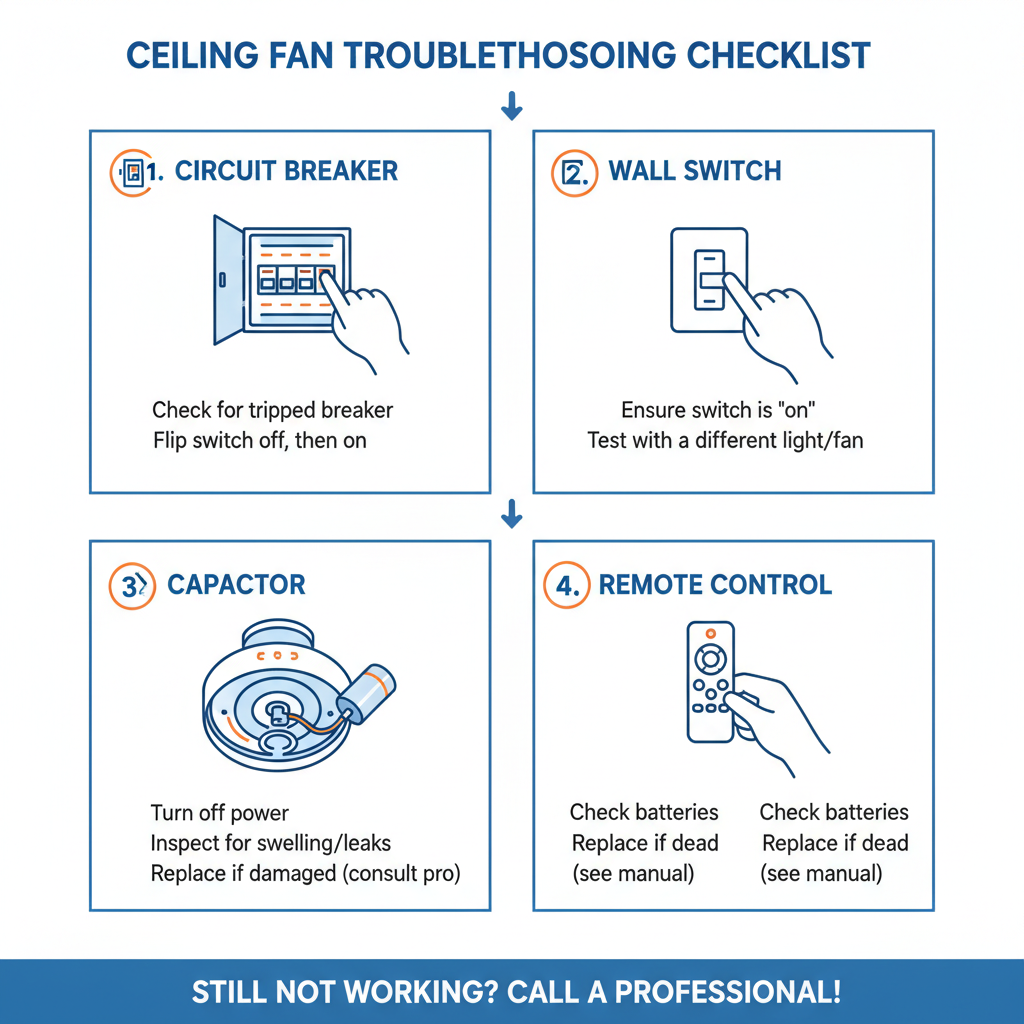
1. Check the Power Source
Ensure that the circuit breaker or fuse controlling the ceiling fan is in the “on” position. Sometimes breakers trip due to overloads or power surges:
- Go to your electrical panel and find the breaker associated with the fan’s circuit.
- If it is flipped to “off” or looks tripped, reset it by switching it fully off and then back on.
- Test if the fan turns on after resetting the breaker.
2. Test the Wall Switch or Pull Chain
The wall switch might be worn out, or the fan pull chain could be stuck. To test:
- Toggle the wall switch multiple times and listen for any humming or sounds from the fan.
- Try using the pull chain to see if it responds or feels jammed.
- If the switch is suspected faulty, consider replacing it or bypass temporarily (ensure power is off and consult an electrician if unsure).
3. Inspect the Remote Control and Receiver
If your ceiling fan uses a remote, dead batteries or faulty receiver units often cause problems.
- Replace batteries with fresh ones in the remote control.
- Reset the remote by turning off power to the fan for 30 seconds, then turning it back on.
- If possible, test operating the fan through manual pull chains or wall switches to isolate the issue.
4. Examine the Fan Capacitor
The capacitor gives the fan motor the initial burst of power to start spinning. A bad capacitor can leave the fan silent or only humming:
- Turn off power to the fan at the breaker panel.
- Remove the fan’s canopy to access the capacitor—usually a small cylindrical or oval component connected to the wiring.
- Look for signs of damage such as bulging, leaking, or discoloration.
- If you have a multimeter, test the capacitor’s capacitance or consult a professional electrician.
- Replace the capacitor if faulty; replacements are affordable and widely available.
5. Check the Fan Motor and Internal Wiring
If the capacitor is fine, the motor could be the culprit:
- Listen for humming sounds—this sometimes indicates the motor is trying to start but is stuck.
- Inspect the wiring connections inside the fan housing for loose or disconnected wires.
- Look for burnt marks or an unusual smell, suggesting motor burnout.
- If the motor is faulty, replacing it or buying a new fan may be necessary, depending on age and cost.
6. Verify Installation and Mounting
If the fan was recently installed and won’t turn on, double-check your installation:
- Confirm the fan mounting bracket is properly attached to the ceiling box.
- Ensure all wiring connections follow the manufacturer’s instructions and local electrical codes.
- If unsure, hire a licensed electrician for a safe installation inspection.
Safety Tips When Troubleshooting Ceiling Fans
Working with electrical appliances requires caution. Always follow these safety practices:
- Turn off power at the circuit breaker before opening any electrical panels or fan housings.
- Use a voltage tester to confirm the power is off.
- If you don’t feel comfortable with electrical troubleshooting, contact a licensed electrician.
- Avoid using water or wet hands when working near fans or electrical switches.
When to Call a Professional Electrician
If the fan still does not turn on after all troubleshooting steps, or you encounter complex electrical issues, it’s best to call a professional. An experienced electrician can ensure repairs are done safely and may identify hidden problems such as circuit faults or wiring issues that are not easy for DIY fixes.
Maintaining Your Ceiling Fan for Longevity
To avoid future issues and keep your ceiling fan in great working condition, consider these maintenance tips:
- Clean fan blades regularly to prevent dust buildup affecting motor performance.
- Periodically check that all screws and mounting brackets remain tight.
- Lubricate the motor and bearings if recommended by the manufacturer.
- Replace fan parts promptly if you notice wear or damage.
Frequently Asked Questions (FAQs)
Why does my ceiling fan hum but not spin?
This typically means the fan motor is receiving power but cannot start turning. Possible causes are a bad capacitor, motor failure, or a stuck fan blade.
Can a ceiling fan stop working due to a power surge?
Yes, power surges can damage the fan’s electrical components, including capacitors, switches, or the internal motor.
Is it safe to replace ceiling fan parts myself?
If you have basic electrical knowledge and follow safety protocols, you can replace components like capacitors or switches. Otherwise, hire an electrician to avoid hazards.
How often should I maintain my ceiling fan?
Perform general cleaning and inspections twice a year, especially before and after summer seasons when the fan usage peaks.
What is the average lifespan of a ceiling fan?
With proper care, a quality ceiling fan can last over 10 years. Parts like capacitors and switches may require occasional replacement.
For more in-depth tips on ceiling fan safety and maintenance, consult reliable sources such as the Good Housekeeping guide to fixing ceiling fans.