Kitchen lights flickering after storm is a common but unsettling problem homeowners face when weather damages electrical systems or causes power instability. If your kitchen lights began blinking, dimming, or flickering following a recent storm, this guide walks you through safe, practical troubleshooting steps, explains likely causes, and tells you when to call a professional so you can restore steady lighting and protect your home.
Why storms often cause flickering lights
Storms bring a range of factors that can affect household electricity. Wind, lightning, heavy rain, and fallen trees can knock down power lines or cause voltage fluctuations. Lightning strikes can create power surges that travel through utility lines and into your home’s wiring. Even brief outages or partial service restoration by the utility can make lights blink or dim until the supply stabilizes. Understanding the most common causes helps you pick the right response.

- Power surges or dips: Lightning or rapid load shifts on the grid can cause momentary surges or voltage drops, which make lights flicker.
- Damaged utility lines or transformers: A broken line or failing transformer may provide intermittent power to your home.
- Loose or damaged wiring: The storm may have dislodged an outdoor service connection, or moisture may have entered junctions and fixtures, creating poor connections.
- Tripped or partially tripped breakers: Surge activity can trip a breaker or fuses, sometimes leaving a circuit in an unstable state.
- Appliance load changes: After power returns, heavy loads (heat pumps, air conditioners, sump pumps) cycling on can cause momentary dimming or flicker.
Immediate safety steps to take when lights flicker after a storm
Before troubleshooting, prioritize safety. Flickering can indicate dangerous conditions; follow these actions first:
- Turn off and unplug sensitive electronics and appliances to protect them from surges or unstable power.
- If you smell burning, see sparks, or notice smoke, leave the house immediately and call emergency services.
- Avoid touching switches, outlets, or exposed wiring. Water and electricity are a dangerous combination—if you see water near electrical devices, assume a hazard exists.
- Check whether the flickering is isolated to the kitchen or affects the whole house and whether neighbors are experiencing the same problem—this helps determine if it’s a local or utility issue.
- Keep flashlights handy and use battery-powered lighting if needed instead of candles to reduce fire risk.
Step-by-step troubleshooting: what to check (safe, homeowner-friendly)
After ensuring immediate safety, try these ordered checks to identify and possibly fix the cause of flickering lights in your kitchen.
1. Inspect the bulbs and fixtures
- Turn off the light and let the bulb cool. Tighten the bulb in the socket—loose bulbs are a simple, common cause of flicker.
- Replace an older incandescent or halogen bulb with a new one to rule out a failing bulb. For LED bulbs, try swapping with a different known-good LED to test compatibility with dimmers or fixtures.
- Check for water intrusion in ceiling fixtures or recessed cans—moisture can cause intermittent contact or corrosion.
2. Test switches and dimmers
- Operate the switch several times—if it feels loose, has arcing, or produces noise, it may be faulty.
- If you have dimmers, confirm they are compatible with your bulb type (many older dimmers don’t work well with LEDs and can cause flicker).
3. Examine breakers and GFCI outlets
- Open your electrical panel and look for tripped breakers (they may be in a middle position). Reset any tripped breakers by switching fully off and then on.
- Reset any GFCI outlets (commonly found in kitchens) by pressing the reset button—some circuits are protected downstream of a GFCI.
- Note: If a breaker trips repeatedly or won’t stay on, don’t force it—this indicates a serious fault requiring a licensed electrician.
4. Check other areas and neighbors
- See if lights flicker in other rooms. If the flicker is whole-house or multiple homes on your street are affected, the utility company may be experiencing line or transformer issues.
- Contact your electric utility to report outages or voltage instability—many utilities track storm-related damage and can advise on restoration status.
5. Look for signs of wiring damage or water intrusion
- Water leaks from roof or ceilings that soaked electrical boxes can lead to intermittent faults—address leaks immediately and avoid using affected circuits until inspected.
- Inspect visible wiring in garages or basements for fraying, chafing, or rodent damage.
When flickering means you should call an electrician or utility
Some flicker issues are easy fixes, but others demand professional attention. Call an electrician right away if you notice any of the following:
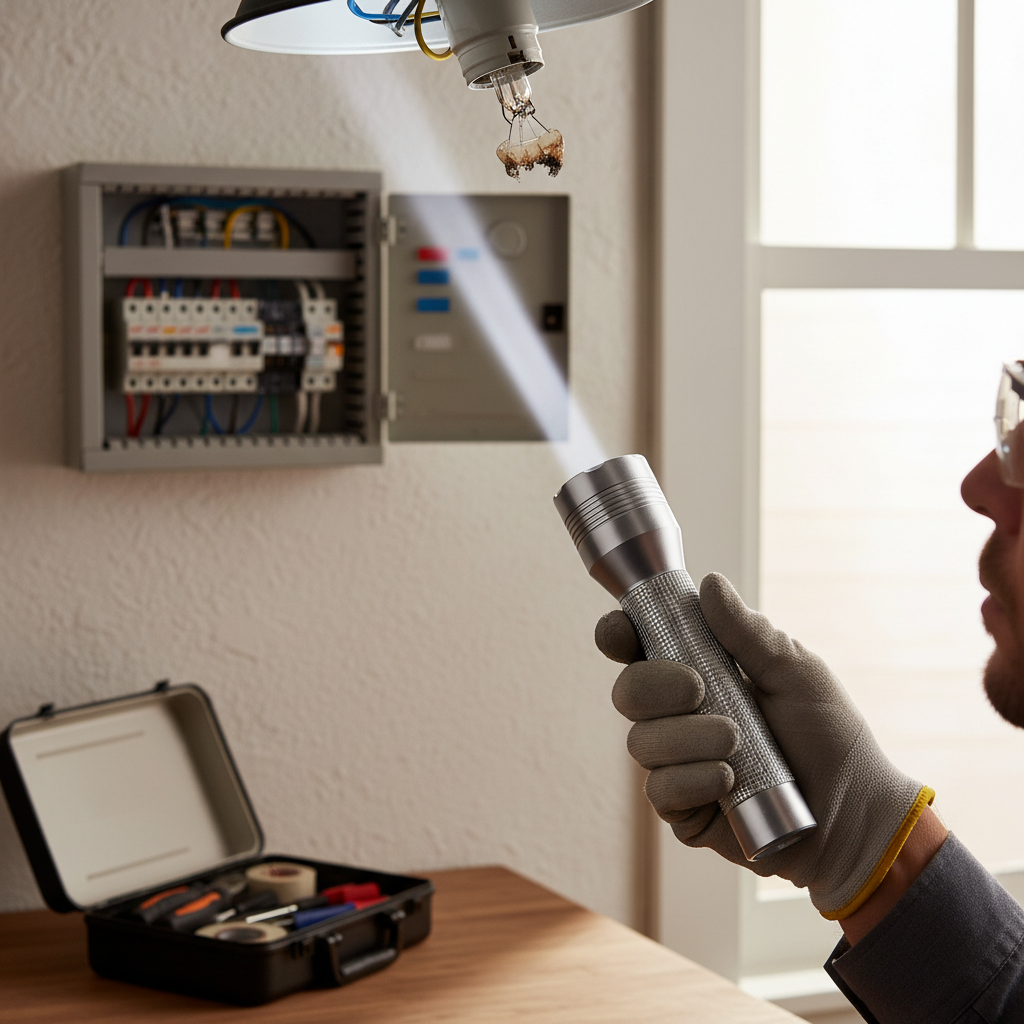
- Persistent flickering that returns after bulbs, switches, or breakers are checked.
- Flickering accompanied by burning smells, hot switches or outlets, smoke, or visible sparking.
- Frequent tripping of breakers, or a breaker that won’t reset.
- Flicker only on one circuit combined with buzzing sounds from fixtures or the electrical panel.
- Evidence of water contact with electrical components.
If several homes are affected or you suspect a downed line or damaged transformer, contact your utility provider before residential repair—these are hazards that utilities manage and will address as a priority.
Common electrical diagnoses behind post-storm flicker
Here are more technical causes electricians look for when investigating flickering after storms:
- Loose neutral or hot conductor at the service entrance—the neutral being loose can cause dangerous voltage swings across circuits.
- Partial contact at utility service connections or at the meter base due to corrosion or storm movement.
- Damaged service drop (the wire from pole to house) or broken anchors/cleats creating intermittent connection.
- Faulty or water-damaged junction boxes and splices inside walls or attics.
- Internal surge damage to household electrical panels or appliance control boards from lightning-induced surges.
Protective measures to reduce storm-related lighting issues
Preventive upgrades and maintenance can minimize the risk of flickering and protect electronics during storms.
- Install whole-home surge protection at the main service panel to reduce damage from voltage spikes.
- Use point-of-use surge protectors for sensitive devices (computers, TVs, smart home hubs).
- Replace aging electrical panels and corroded service components—older panels are more vulnerable during storms.
- Keep trees trimmed away from overhead service lines to reduce the chance of branches bringing down cables during wind or ice events.
- Seal and maintain roof flashing, attic vents, and exterior junction boxes to prevent water intrusion into electrical areas.
Insurance, documentation, and post-storm repairs
If the storm causes electrical damage to fixtures, appliances, or wiring, document everything for insurance and repair planning:
- Take photos of damaged fixtures, outlets, the electrical panel, and any visible wire damage.
- Record times of power fluctuation, outages, and any appliance failures—these details help insurers and electricians diagnose surge damage.
- Keep receipts for emergency repairs or replacements and contact your homeowner’s insurance to verify coverage for electrical or storm-related damage.
When the flicker is not storm-related
Flickering lights can happen for many non-storm reasons: aging wiring, overloaded circuits, failing bulbs, incompatible dimmer-bulb pairings, or even deliberate utility load-shedding. If persistent flicker shows up long after storm conditions have cleared, schedule an electrical inspection to assess long-term safety and compliance with current codes.
How professionals diagnose and fix the problem
Electricians use a systematic approach: visual inspection, panel testing, load and voltage measurements, and sometimes thermal imaging to find hot connections. Repairs may include replacing faulty breakers, tightening service connections, re-routing or replacing damaged wiring, installing surge protection, or upgrading the service panel. Licensed professionals can also coordinate with utilities and obtain permits for significant repairs.
Quick checklist: What to do if your kitchen lights flicker after a storm
- Step 1: Ensure personal safety—turn off and unplug sensitive devices and keep away from water and damaged fixtures.
- Step 2: Check neighbors and call your utility if a larger outage or instability exists.
- Step 3: Inspect bulbs, switches, and dimmers; tighten and replace if needed.
- Step 4: Check and reset breakers and GFCIs; do not force a breaker that won’t reset.
- Step 5: If flicker persists or there are warning signs (smoke, burning smell, hot outlets), call a licensed electrician.
- Step 6: Document damage for potential insurance claims and consider surge protection upgrades.
Further reading and reliable resources
For practical home electrical safety tips and how to manage home maintenance after storms, reputable lifestyle and home-improvement publications offer helpful guidance. For example, Better Homes & Gardens maintains a trove of electrical and home repair resources that can give additional homeowner-centered tips and project guides: Better Homes & Gardens – Electrical projects and safety.
Frequently asked questions (FAQs)
Q: Is flickering light after a storm always dangerous?
A: Not always. Temporary flicker from brief utility fluctuations or a loose bulb may be harmless. But flickering accompanied by burning smells, hot outlets, smoke, or persistent issues can indicate dangerous wiring or surge damage—stop using the circuit and call a professional.
Q: Can lightning damage my kitchen lights even if lightning didn’t strike my house?
A: Yes. Lightning strikes to nearby structures, the ground, or the utility lines can induce surges that travel into your home and damage wiring, fixtures, or electronics even without a direct strike to your property.
Q: If only one fixture flickers, can I safely keep using other lights?
A: Use caution. If only one fixture flickers and you do not notice smells or heat, you can cautiously continue using other circuits but unplug sensitive electronics until the issue is resolved. Consider turning off the affected circuit until an electrician inspects that fixture.
Q: How much does it typically cost to fix storm-related flickering?
A: Costs vary widely depending on the cause—simple bulb or switch replacements are inexpensive, while repairing a damaged service connection or replacing a panel can be substantial. Get an estimate from a licensed electrician; document costs for insurance reimbursement when applicable.
Q: Will a whole-home surge protector prevent flickering?
A: A whole-home surge protector reduces the chance of damage from transient voltage spikes but won’t prevent flicker caused by loose connections, damaged utility lines, or ongoing service instability. It’s a valuable layer of protection but not a cure-all.
Final thoughts
Kitchen lights flickering after storm can range from a minor inconvenience to a sign of a hazardous electrical problem. Start with safe, simple checks—bulbs, switches, breakers—and escalate to contacting your utility or a licensed electrician when you encounter warning signs or persistent issues. Taking prompt, informed action protects your family, home, and appliances and can prevent small issues from becoming major repairs.
For more ideas on keeping your home safe, comfortable, and well-designed after weather events, explore practical home improvement topics and design tips in related guides. 👉 internal link (https://mdasid.org/) How to Design A Comfortable Modern Living Space