Why Is My Bathroom Fan Making a Humming Noise? How to Fix It Quickly
Bathroom fans play a crucial role in maintaining good air quality and preventing moisture buildup in your home. However, when your bathroom fan starts making a persistent humming noise, it can be both annoying and concerning. Understanding why your bathroom fan is humming and how to address it can help restore peace to your home and keep your ventilation system in top shape.
Common Causes of Bathroom Fan Humming Noise
A humming sound coming from your bathroom exhaust fan can stem from several issues ranging from electrical problems to mechanical wear and tear. Here are the most frequent causes:
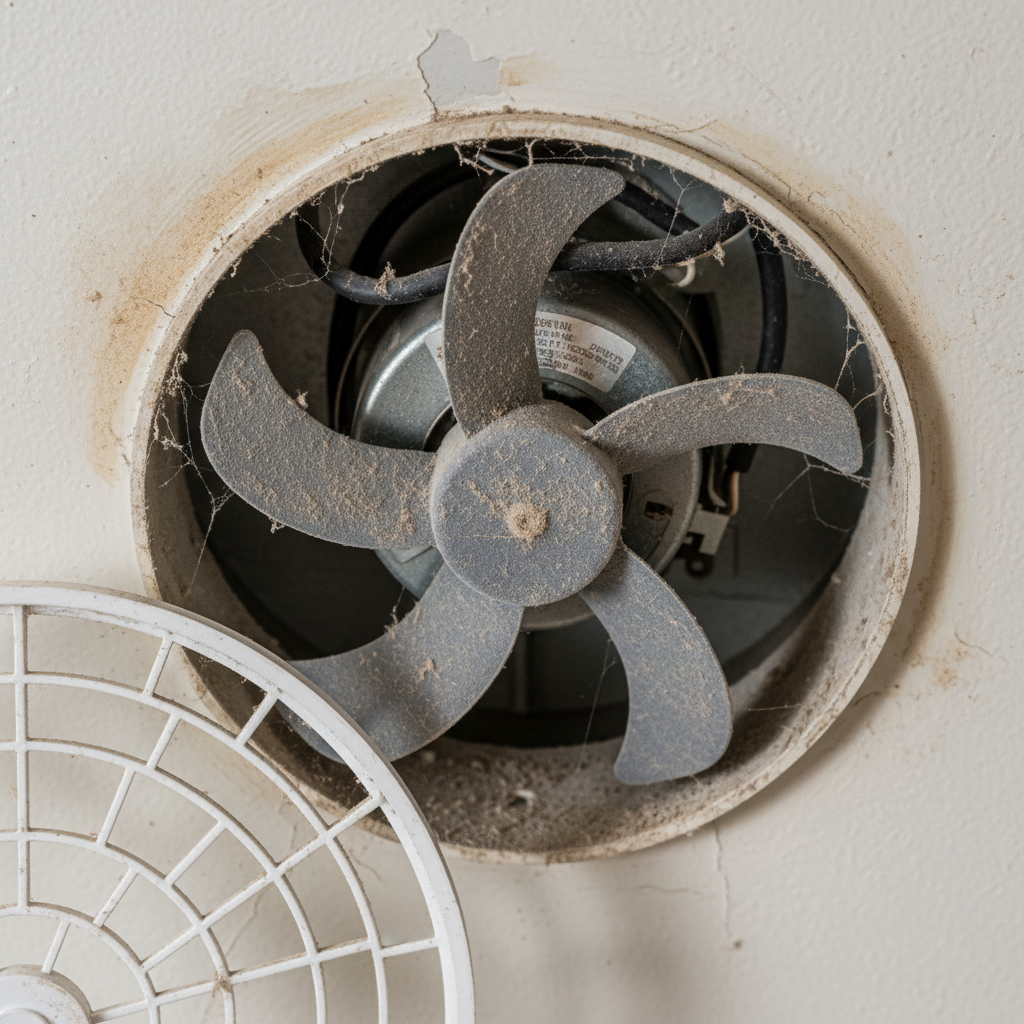
- Lack of Lubrication: The fan motor’s bearings or moving parts may dry out over time, causing friction and noise.
- Fan Motor Problems: The motor itself may be aging, damaged, or failing, which can produce a constant humming sound.
- Dirty or Clogged Fan: Dust, debris, or buildup on the blades or grille can obstruct the fan, making it work harder and humming.
- Loose or Worn Parts: Vibrations from loose screws, mounting brackets, or the fan blade being off-balance can cause humming or buzzing noises.
- Electrical Issues: Problems with wiring, switches, or dimmers connected to the fan can cause humming or buzzing.
- Incompatible or Faulty Switch: Using the wrong type of fan switch or a malfunctioning dimmer switch often leads to humming sounds.
How to Diagnose the Source of the Humming
Before you begin repairs, it’s important to pinpoint the cause of the humming noise. Here’s a step-by-step approach:
- Turn off the power: Always ensure the fan is disconnected from its power source to avoid accidents.
- Inspect the fan cover and grille: Remove these components and check for dust buildup or obstructions.
- Check for loose screws and parts: Tighten any loose mounting brackets, screws, or fan blades.
- Spin the blades by hand: If the blades don’t spin freely or feel rough, the motor bearings might be faulty.
- Test the switch: If your fan is on a dimmer switch, try replacing it with a standard toggle switch to see if the humming stops.
Step-by-Step Guide to Fixing a Humming Bathroom Fan
Once you’ve identified the likely cause, proceed with these solutions to quiet your bathroom fan:
1. Clean the Fan Thoroughly
Start by removing the fan cover and cleaning off any dust and debris from the blades, motor housing, and vents. A vacuum with a brush attachment and a microfiber cloth can work wonders in eliminating buildup that causes strain and noise.
2. Lubricate the Motor Bearings
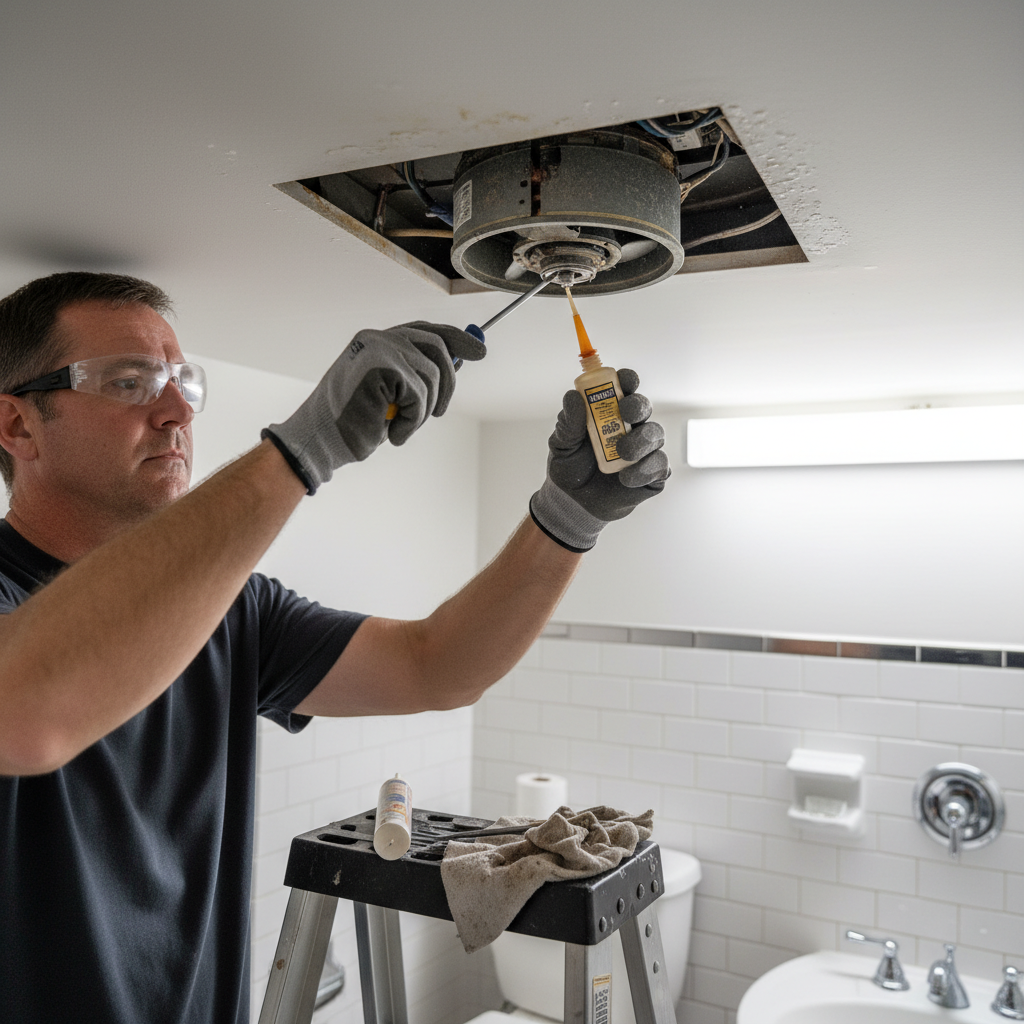
If the fan motor bearings are dry, apply a few drops of lightweight machine oil (such as 3-in-1 oil) to the motor shaft. Avoid over-lubricating, as this can attract dust.
3. Tighten or Replace Loose Components
Examine and tighten all mounting screws and brackets to stop vibrations that cause humming. If the fan blades are damaged or warped, replace them.
4. Replace the Fan Motor if Necessary
When motor noise persists after lubrication and cleaning, it may be time to replace the fan motor entirely. Motors are generally available through home improvement stores or online retailers.
5. Address Electrical Issues
Check your fan’s wiring and switch. If the fan was installed on a dimmer or incompatible switch, swap it for a compatible switch recommended by the fan manufacturer. For electrical troubleshooting beyond this, consult a licensed electrician.
Preventive Maintenance Tips to Avoid Humming
To keep your bathroom fan running quietly and efficiently for years, follow these simple preventive maintenance tips:
- Clean the fan cover and blades every 6 months to prevent dust buildup.
- Lubricate the motor annually if the fan supports it.
- Inspect mounting hardware regularly to maintain a tight fit.
- Use the appropriate switch type recommended in your fan’s manual.
- Replace old or damaged parts promptly to avoid motor strain.
When to Call a Professional
If you’ve tried these fixes and the humming persists or if you suspect electrical problems beyond your comfort level, it’s wise to call a licensed electrician or a professional HVAC technician. They can safely inspect wiring, replace fan motors, or upgrade your ventilation system if needed.
FAQs About Bathroom Fan Humming Noise
Q: Can a bathroom fan hum even if it’s working properly?
A: Minor humming can be normal with certain motor types; however, persistent or loud humming usually indicates an issue that needs attention.
Q: Is it safe to run a bathroom fan that’s making a humming noise?
A: If the humming is due to electrical faults, it may pose a safety risk. Stop using it and have it inspected by a professional if you smell burning or notice overheating.
Q: Will replacing the fan cover reduce the humming noise?
A: Sometimes, worn or loose covers can contribute to vibration noise. Replace cracked or warped covers as part of your troubleshooting.
Q: How long do bathroom fans typically last?
A: Quality bathroom fans typically last 10-15 years with proper care. Regular maintenance can extend this lifespan.
Conclusion
A humming bathroom fan is more than just an annoying noise—it could signify that your ventilation system needs attention. By following these cleaning, lubrication, and inspection tips, you can often fix the problem yourself and enjoy a quieter bathroom environment. For persistent problems, especially electrical in nature, professional help is the safest choice.
For more expert advice on home ventilation and maintaining your household appliances, check out Good Housekeeping’s guide to cleaning exhaust fans.