There are few things more frustrating than stepping into your bathroom, flipping the switch, and finding that your bathroom fan and light are losing power or not working at all. A fully functional bathroom exhaust fan and lighting system are crucial for comfort, ventilation, and safety. They remove moisture, odors, and ensure proper illumination. When these essential fixtures start acting up, it can be more than just an inconvenience; it can signal underlying electrical issues that need attention. This comprehensive guide will walk you through the common culprits behind a malfunctioning bathroom fan and light combo, offering step-by-step troubleshooting tips and advice on when it’s time to call in a professional electrician.
Understanding the Importance of a Functional Bathroom Fan and Light
Before diving into troubleshooting, it’s essential to appreciate why these fixtures are indispensable. The light provides necessary illumination, preventing accidents and making daily routines easier. The exhaust fan, however, plays a critical role in maintaining indoor air quality and preventing structural damage. It extracts moist air, which, if left to linger, can lead to mold growth, mildew, peeling paint, and even damage to wooden fixtures. When your bathroom fan and light are losing power, you’re not just without light; you’re also potentially creating an environment ripe for moisture-related problems.
Initial Assessment: Safety First
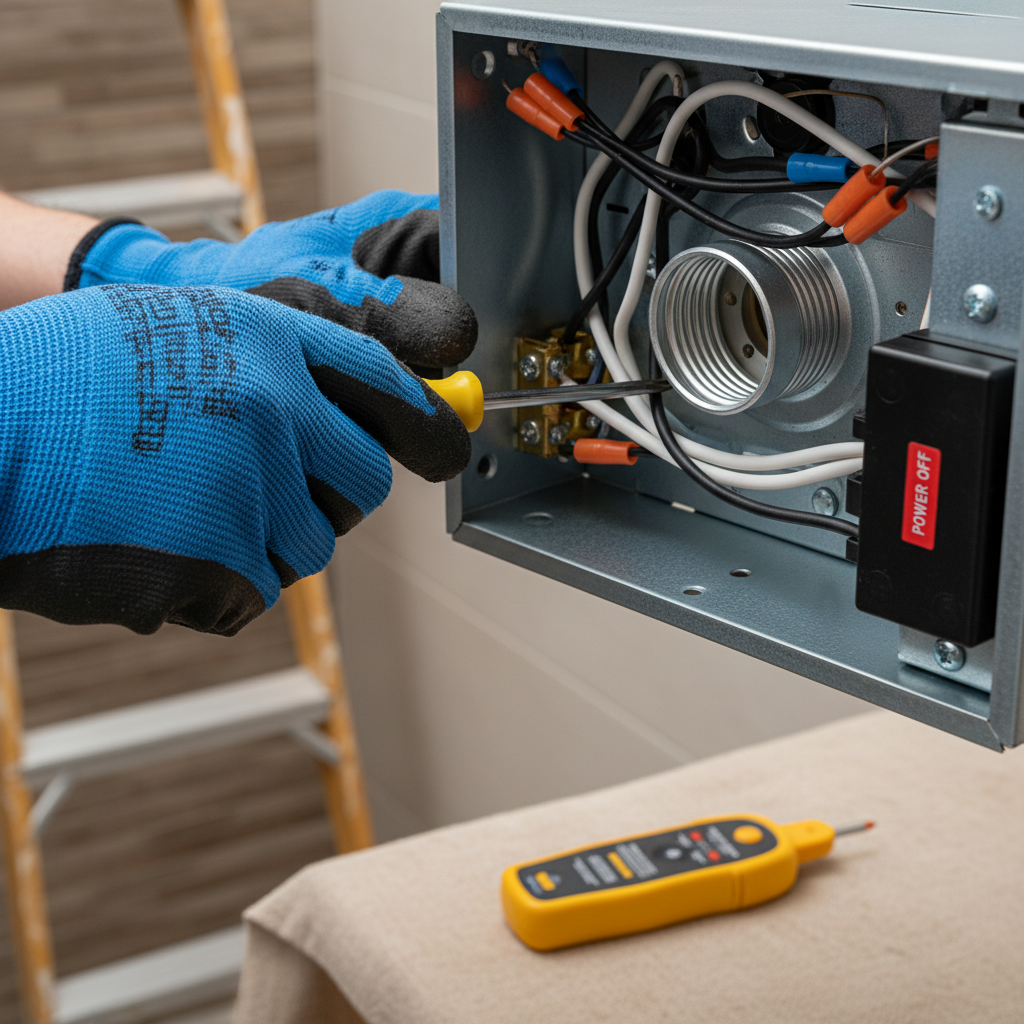
Whenever you’re dealing with electrical components, safety must be your absolute priority. Before you touch any wiring, switches, or the fan unit itself, always turn off the power at the circuit breaker or fuse box that controls your bathroom. Failing to do so can result in serious injury or even death. Once the power is off, double-check it with a non-contact voltage tester to ensure the circuit is truly dead. Do not proceed with any troubleshooting steps if you are uncomfortable or unsure about working with electricity.
Common Scenarios When Your Bathroom Fan and Light Lose Power
The problem can manifest in several ways. Identifying the specific scenario can help narrow down the potential causes:
- No Power at All: Both the fan and the light are completely unresponsive.
- Intermittent Power: The fan and/or light flicker, turn on and off sporadically, or work sometimes and not others.
- Light Works, Fan Doesn’t: The light illuminates, but the fan motor remains silent and still.
- Fan Works, Light Doesn’t: The fan operates, but the light bulb either doesn’t turn on or flickers.
- Dim Light or Slow Fan: The light appears dim, or the fan runs slower than usual, indicating insufficient power.
Troubleshooting Electrical Issues
Many power loss problems stem from electrical faults. Here’s how to investigate:
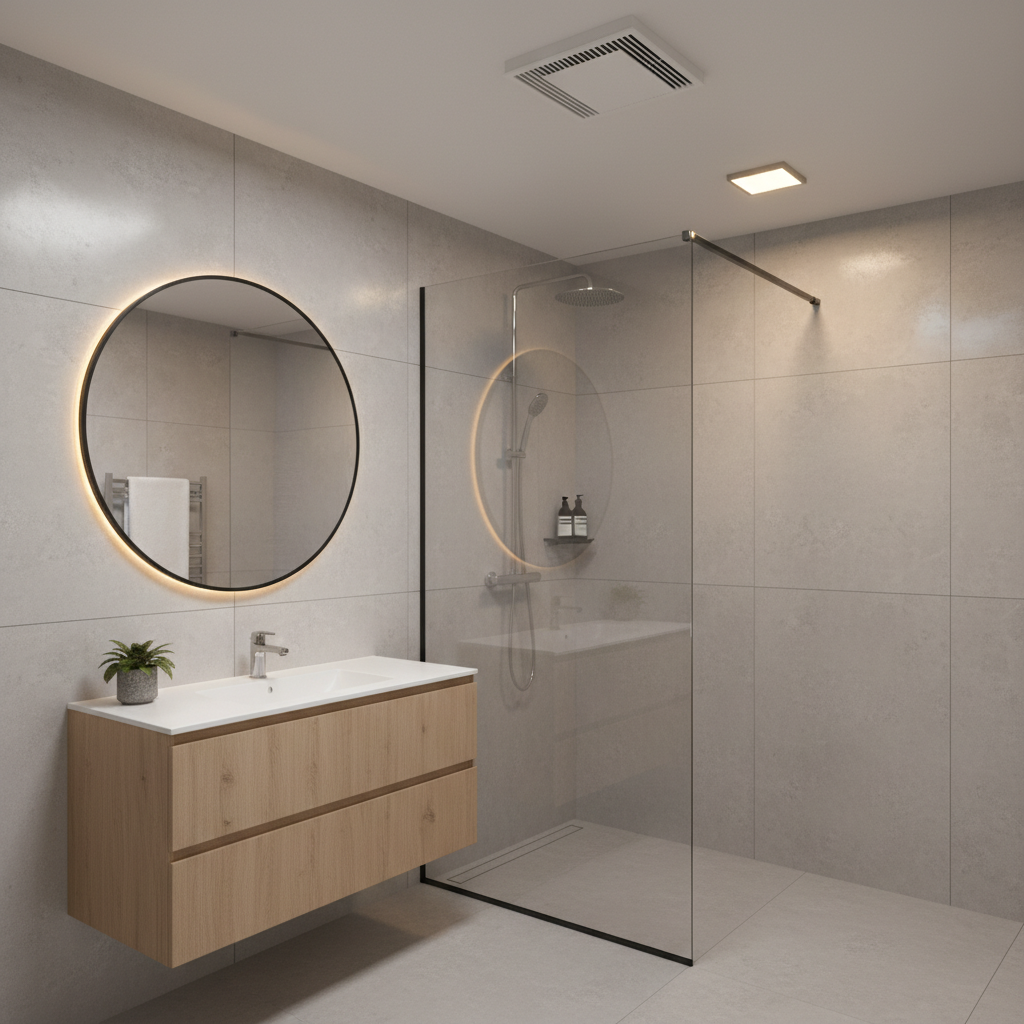
1. Check Your Circuit Breaker or Fuse Box
This is the first and often simplest solution. A tripped circuit breaker is a common reason for a sudden loss of power to a specific area or appliance in your home. Go to your electrical panel and look for a breaker that is in the “off” position or halfway between “on” and “off.”
- For a Tripped Breaker: Firmly push the breaker all the way to the “off” position, then back to the “on” position.
- For a Blown Fuse (older homes): If your home uses fuses, inspect the fuse for a broken filament. Replace it with a new one of the correct amperage.
If the breaker trips immediately again after resetting, or if the fuse blows again, there’s a short circuit or an overload on that line, and you should not continue to reset it without further investigation. Repeated tripping indicates a more serious underlying issue.
2. Test the Light Switch
The switch itself is a common point of failure. Over time, switches can wear out, internal components can break, or wiring can become loose. If only your bathroom fan and light are losing power, and other devices on the same circuit are working, a faulty switch is a strong suspect.
- Visual Inspection: With power off, carefully remove the switch plate and examine the wires connected to the switch. Look for any loose connections, frayed wires, or burn marks.
- Testing the Switch (Advanced): If you have a multimeter, you can test the continuity of the switch. With the power off and the switch removed, set your multimeter to the continuity setting. When the switch is in the “on” position, there should be continuity; when “off,” there should be none. If it fails this test, replace the switch.
If your bathroom fan and light are controlled by separate switches, and only one component is affected, focus your attention on that specific switch.
3. Inspect Wiring Connections
Loose wiring is a frequent cause of intermittent or complete power loss. Connections can loosen over time due to vibration, temperature changes, or improper installation. You’ll need to check wiring at multiple points:
- At the Switch Box: With the power off, pull the switch out from the wall. Gently tug on each wire connected to the switch to ensure they are secure. If any are loose, re-tightperen them.
- At the Fan/Light Unit: Access the wiring compartment of your bathroom fan and light unit (usually by removing the cover). Inspect the wire nuts or terminal connections. Ensure they are tight and that no wires have come loose or appear corroded.
- At Junction Boxes: If your fan and light are part of a larger circuit, there might be a junction box in the attic or wall that feeds power to the bathroom. Checking these can be more involved and might require professional help.
Look for any signs of burned wires, which indicate a serious short circuit and necessitate immediate professional attention.
4. Check for GFCI Outlet Trip
If your bathroom fan and light are on a circuit that also includes a Ground Fault Circuit Interrupter (GFCI) outlet, a tripped GFCI can cut power to everything downstream. This is especially true if the outlet is designed to protect the entire circuit.
- Locate the GFCI: Look for an outlet in your bathroom (or sometimes another bathroom or utility area) with “TEST” and “RESET” buttons.
- Reset the GFCI: Press the “RESET” button firmly. If it clicks and stays in, test your fan and light. If it immediately trips again, there’s a ground fault somewhere on the circuit that needs to be investigated by an electrician.
5. Overloaded Circuit
An overloaded circuit occurs when too many high-power devices are drawing electricity from a single circuit, exceeding its capacity. This will typically cause the circuit breaker to trip repeatedly. If your breaker trips only when you use a specific hair dryer or other appliance simultaneously with your bathroom fan and light, you might have an overload situation. Try unplugging other devices on the circuit and see if the issue resolves. If so, consider redistributing your electrical load or having an electrician install a dedicated circuit if needed.
Troubleshooting Fan/Light Unit Specific Issues
If the electrical supply seems fine, the problem might be within the fan or light unit itself.
1. Faulty Light Bulb or Socket
If only the light is out, the simplest solution is often the correct one:
- Replace the Bulb: Ensure you’re using the correct wattage and type of bulb for your fixture. A bulb that is too high wattage can cause overheating and damage to the fixture.
- Check the Socket: With power off, inspect the light bulb socket for any corrosion, bent tabs, or debris that might be preventing proper contact with the bulb. Gently bend the contact tab in the base of the socket slightly upwards if it appears flat.
2. Motor Failure (Fan Only)
If the light works but the fan does not, the fan motor is likely the culprit. Motors can wear out over time, especially with frequent use and exposure to moisture.
- Listen for Sounds: Does the fan make any humming or buzzing noises, even if it’s not turning? This might indicate a motor attempting to start but failing, perhaps due to a bad capacitor or obstruction.
- Check for Obstructions: With power off, manually try to spin the fan blades. If they feel stiff, sticky, or are jammed, there might be debris, dust, or even a foreign object caught in the motor or fan housing.
- Capacitor Issues: Many exhaust fan motors use a starting capacitor. If this component fails, the motor might hum but not spin. Replacing a capacitor can be a DIY task for experienced individuals, but it requires careful handling as capacitors can store an electrical charge.
If the motor is truly dead, replacement of the entire fan unit, or just the motor assembly, may be necessary.
3. Clogged Fan Vents and Ducts
A buildup of dust, lint, and debris can severely impede the fan’s operation, causing it to overheat and potentially shut down or run very slowly. This can also cause the motor to overwork, leading to premature failure.
- Clean the Grille: Remove the fan grille and thoroughly clean it with soap and water.
- Clean the Fan Blades and Housing: With power off, use a vacuum cleaner with a brush attachment or a damp cloth to meticulously clean the fan blades, motor housing, and any accessible parts of the vent.
- Check the Ductwork: If your fan still seems inefficient, the problem might be further up in the ductwork in your attic. This could be due to blockages, kinks, or disconnections. Checking this usually requires accessing your attic and can be a more involved task.
4. Internal Wiring of the Unit
Sometimes, the wiring within the fan and light unit itself can become loose or corroded. This is especially common in older units exposed to high humidity. With the power off, carefully inspect all internal connections within the unit. If you spot any frayed or damaged wires, this unit likely needs to be replaced or professionally repaired.
Environmental Factors and Other Considerations
- Moisture Damage/Corrosion: Constant exposure to high humidity can lead to corrosion of electrical terminals, switches, and even the motor windings. If you see rust or green/blue residue on electrical components, moisture is likely the culprit. Ensuring proper ventilation and sealing any leaks is crucial.
- Pest Infestation: While less common, rodents or insects can chew through wires or build nests within the fan housing, causing blockages or electrical shorts.
- Age of the Unit: Like all appliances, bathroom fans and lights have a lifespan. If your unit is particularly old, wear and tear can simply lead to component failure. Upgrading to a modern, energy-efficient unit can resolve persistent issues and improve performance.
When to Call a Professional Electrician
While some of these troubleshooting steps are manageable for a confident DIYer, there are clear signs when it’s best to call in a licensed electrician. Do not hesitate to seek professional help if:
- Repeated Breaker Trips: If your circuit breaker trips repeatedly after resetting, it indicates a serious underlying electrical fault that could pose a fire hazard.
- Burning Smell or Scorched Wires: Any burning smell, smoke, or visible scorch marks on wiring or outlets is an emergency. Turn off the power immediately and call an electrician.
- Complex Wiring: If the issue involves complex wiring beyond a simple switch replacement, or if you suspect problems within the walls or attic ductwork, a professional can diagnose and fix it safely.
- Lack of Confidence: If you feel uncomfortable, unsure, or lack the proper tools for any step, it’s always safer to hire a professional. Electrical work can be dangerous if not performed correctly.
- Persistent Problems: If you’ve tried basic troubleshooting and the problem persists, an electrician has the expertise and specialized equipment to pinpoint elusive issues.
According to Better Homes & Gardens, knowing when to call a professional for electrical issues is paramount for safety. DIY electrical work can be hazardous if not done correctly, and improper installations can lead to future problems or even fires. Always prioritize safety and expertise when dealing with your home’s electrical system.
Preventative Maintenance for Your Bathroom Fan and Light
A little preventative care can go a long way in extending the life and reliability of your bathroom fan and light:
- Regular Cleaning: At least once a year, clean your fan grille, blades, and motor housing to prevent dust buildup.
- Check Ductwork: Periodically inspect accessible ductwork for blockages or disconnections, especially if you notice a decrease in fan efficiency.
- Proper Usage: Run your exhaust fan for at least 15-20 minutes after showers or baths to effectively remove moisture.
- Use Correct Bulbs: Always use light bulbs of the recommended wattage and type to avoid overheating or damaging the fixture.
- Monitor for Sounds: Pay attention to unusual noises from the fan, like grinding, squealing, or humming, which can indicate an impending motor failure.
- Inspect for Moisture: Regularly check for signs of moisture intrusion around the fan or light fixture, such as water stains or peeling paint, which could lead to corrosion.
Conclusion
When your bathroom fan and light are losing power, it’s more than just an annoyance; it’s a signal that your home’s electrical or ventilation system needs attention. By systematically troubleshooting potential causes, from tripped breakers and faulty switches to internal unit issues and clogged vents, you can often identify and resolve the problem yourself. However, always prioritize safety by turning off power before beginning any work. Remember that if you encounter complex wiring, persistent issues, or feel uncomfortable at any point, calling a licensed electrician is the safest and most effective course of action. Regular maintenance can also help prevent these issues, ensuring your bathroom remains a well-lit, fresh, and comfortable space for years to come.