Ceiling Fan Not Turning On? How to Diagnose and Fix the Problem
Is your ceiling fan not turning on when you flip the switch? Ceiling fans are a staple in many homes, providing comfort and air circulation during warm days. When they suddenly stop working, it’s not only inconvenient but can also disrupt your home’s comfort. Fortunately, many reasons can cause a ceiling fan to stop running, ranging from simple electrical issues to mechanical problems. This comprehensive guide will help you diagnose why your ceiling fan won’t turn on and walk you through effective troubleshooting and repair steps.
Common Reasons Why Your Ceiling Fan Isn’t Turning On
Before diving into complex repairs, it’s important to understand the typical causes behind a ceiling fan that refuses to start. Here are some of the most common issues:
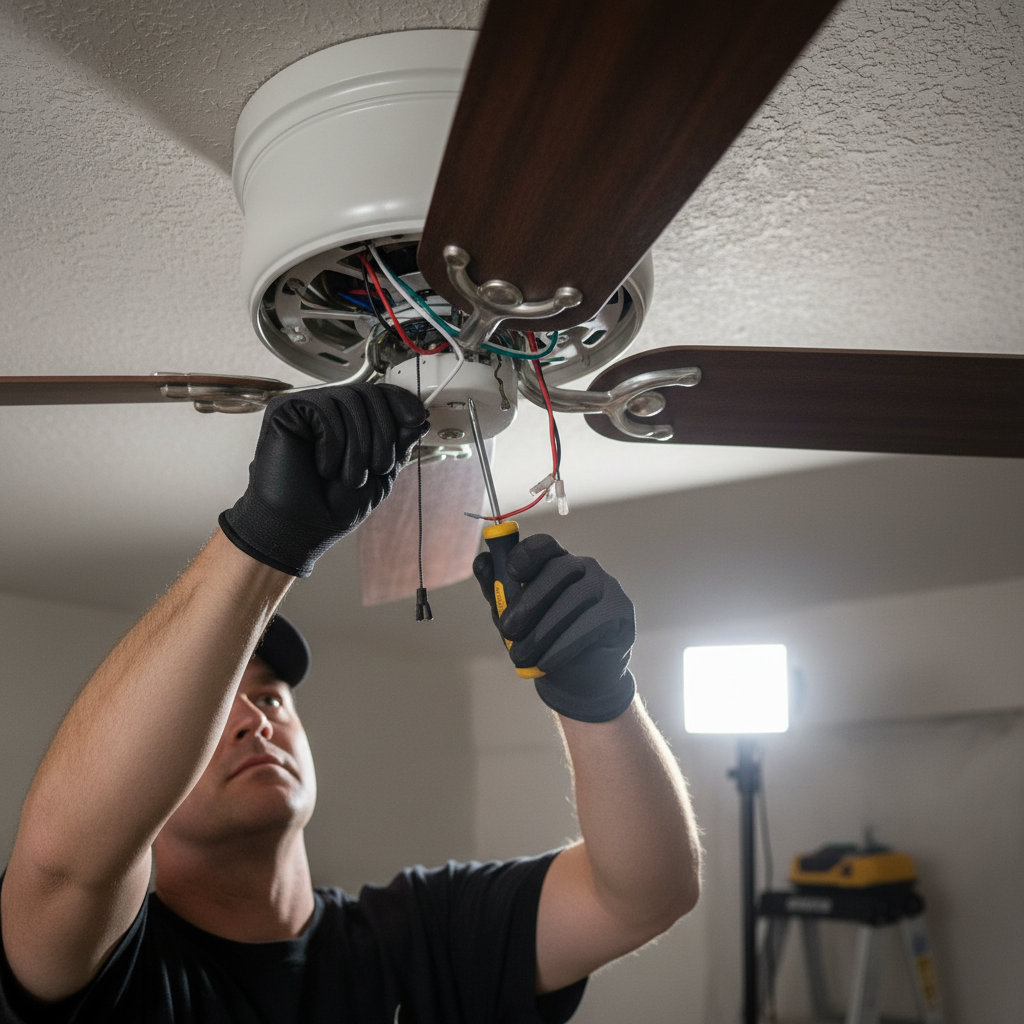
- Power Supply Issues — If there is no power reaching your fan, it won’t start.
- Faulty Wall Switch — A damaged or malfunctioning switch can prevent the fan from turning on.
- Remote Control or Receiver Problems — For fans operated by remotes, receiver or remote issues can be the culprit.
- Loose or Damaged Wiring — Connections that have come loose or wires that are damaged stop electrical flow.
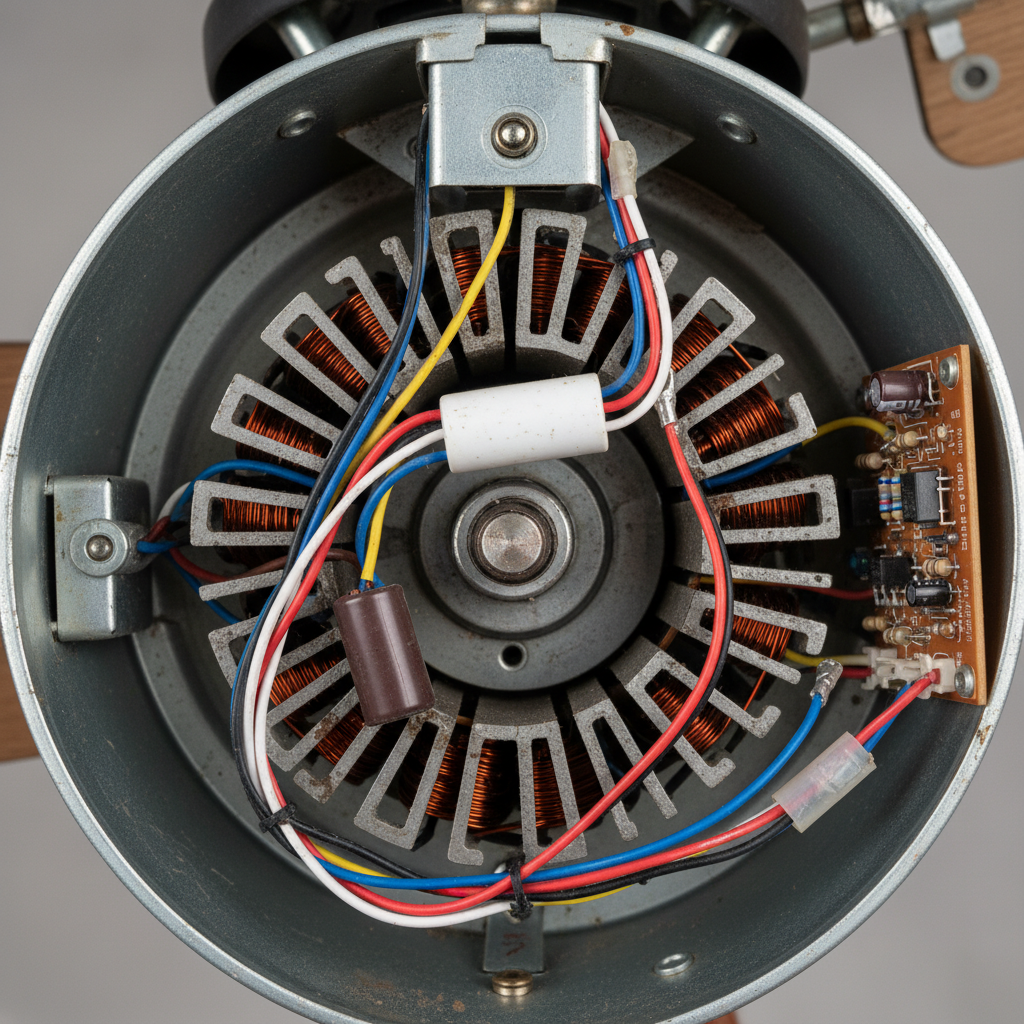
- Defective Capacitor — The capacitor helps the fan motor start spinning; if it fails, the fan won’t start.
- Motor or Mechanical Failures — Sometimes, internal motor problems or obstructions stop the fan’s operation.
- Safety Features Engaged — Some fans have built-in safety devices like thermal fuses that trip due to overheating.
How to Safely Troubleshoot a Ceiling Fan Not Turning On
Electricity is dangerous, so before working with your ceiling fan’s wiring or components, make sure to follow these safety steps:
- Turn off the power at the circuit breaker to avoid electric shock.
- Use a non-contact voltage tester to ensure no electricity is flowing.
- Work with appropriate tools and in a well-lit space.
- If you’re not comfortable handling electrical parts, consider hiring a licensed electrician.
Step-by-Step Guide to Fixing a Ceiling Fan That Won’t Turn On
1. Check the Power Source and Wall Switch
Start by verifying if the fan is getting electricity:
- Test the wall switch by flipping it on and off; confirm the breaker isn’t tripped.
- Try plugging in a small lamp or device in the fan’s circuit outlet to confirm power.
- If your fan has a pull chain, ensure it’s set to the ‘on’ position.
2. Inspect Remote Control and Receiver (If Applicable)
Fans with remote control systems rely on a receiver unit inside the fan housing:
- Replace remote batteries to rule out weak power sources.
- Reset the remote and re-pair with the fan receiver according to the manufacturer’s instructions.
- Inspect the receiver for any signs of damage or overheating.
3. Examine the Wiring Connections
Loose or disconnected wiring is a frequent cause of ceiling fan failure:
- Remove the fan canopy cover to access wiring.
- Check all wire nuts for tightness and look for any damaged wires.
- Ensure wires are connected to their matching color-coded pairs (black to black, white to white, green to ground).
4. Test and Replace the Capacitor
The capacitor helps start the motor and keeps it running smoothly:
- Locate the capacitor, usually a small cylindrical component inside the fan housing.
- If the fan hums but doesn’t spin, the capacitor could be faulty.
- Use a multimeter to check capacitor continuity or replace it with one that has similar microfarad (μF) ratings.
5. Inspect the Motor and Mechanical Components
If the fan motor is seized or the bearings are worn, the fan won’t start:
- Try manually rotating the fan blades to detect stiffness or binding.
- Listen for unusual noises like grinding or squealing that indicate motor trouble.
- Lubricate the motor bearings if accessible, or consider fan motor replacement if damaged.
Maintenance Tips to Keep Your Ceiling Fan Running Smoothly
Regular maintenance will help avoid future issues and extend the life of your fan:
- Clean blades and motor housing annually to prevent dust buildup.
- Check and tighten screws and wiring connections every few months.
- Balance the blades to minimize wobble and stress on the motor.
- Use ceiling fan bulbs or controls as recommended by the manufacturer to prevent electrical issues.
When to Call a Professional Electrician
If you experience any of the following, it’s best to seek professional help:
- Repeated circuit breaker tripping when using the fan.
- Visible signs of electrical damage such as burnt wires or melted parts.
- Complex fan wiring, especially in homes with smart or integrated electrical systems.
- Uncertainty about safely handling electrical repairs.
Frequently Asked Questions About Ceiling Fan Troubleshooting
Why does my ceiling fan hum but not start spinning?
A humming sound without blade movement usually indicates a bad capacitor or a motor issue. Testing or replacing the capacitor often resolves the problem.
How can I test if my capacitor is bad?
Using a multimeter set to test capacitance, measure the microfarad rating. If it deviates significantly from the marked value or shows no continuity, the capacitor should be replaced.
Can a ceiling fan work without a capacitor?
No, the capacitor is essential for starting and running the fan motor smoothly. Without it, the motor will not generate enough torque to spin the blades.
Is it normal for a ceiling fan to stop working after power surges?
Yes, power surges can damage electronic components such as the fan’s receiver, capacitor, or even the motor.
Are there any DIY fixes for ceiling fans not turning on?
Simple fixes like replacing fuses, tightening connections, or swapping out the capacitor can be done by those with electrical knowledge. However, always prioritize safety and consult a professional when in doubt.
Additional Resources
For more detailed insights and safety tips about ceiling fan maintenance, visit Good Housekeeping’s expert guide on ceiling fan repair.